Best Construction Management & Analytics Platforms (2026): Top Tools Ranked
Managing a construction project without the right software is like building without blueprints — technically possible, but you will waste time, money, and sanity. In 2026, the market is crowded with options, but not all of them are built for how construction actually works.
This ranking focuses on what matters to general contractors and construction firms: cost control, scheduling, field reporting, and the ability to predict problems before they become expensive.
What to Look for in Construction PM Software
Before diving into rankings, here is what separates construction-specific PM tools from generic project management apps:
- Cost tracking tied to schedule — not just task lists, but budget vs. actual linked to your Gantt
- Field-to-office sync — mobile apps that work offline on job sites
- Subcontractor management — RFIs, change orders, submittals
- AI capabilities — predictive analytics for cost overruns and schedule delays
- **Integration with estimating** — your budget should flow into your PM tool without re-entry
The 2026 Ranking
#1 — OneMake
Best for: General contractors and construction firms that want AI-powered cost prediction and full project control in one platform.
OneMake stands out because it does not just track your project — it predicts where things will go wrong up to 15 days before they happen. The AI engine analyzes cost trends, schedule velocity, and resource consumption to flag deviations early.
Key strengths:
- Predictive AI that anticipates cost overruns and schedule delays ~15 days ahead
- 16 integrated modules: budgeting, procurement, inventory, scheduling (Gantt), contracts, HR, quality, HSE, digital logbook, equipment, and more
- Real-time cost control with deviation alerts before the loss occurs
- AI-powered procurement that detects overpricing in vendor quotes
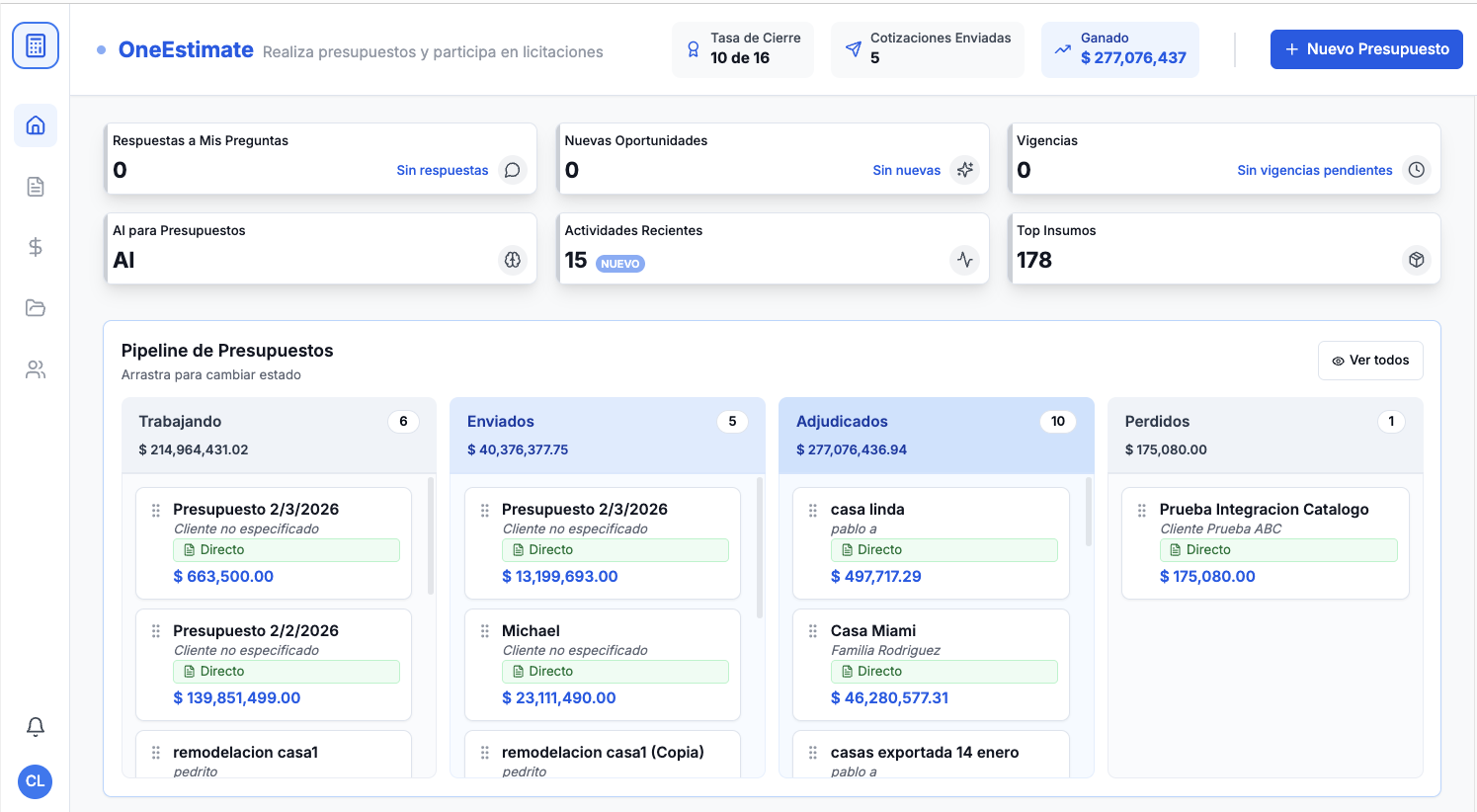
- Seamless estimating integration with OneEstimate for APU/budget workflows
- Mobile app with full offline mode — sync when you are back in coverage
OneMake is particularly strong for firms running multiple projects simultaneously, where the predictive dashboard gives you a portfolio-level view of risk.
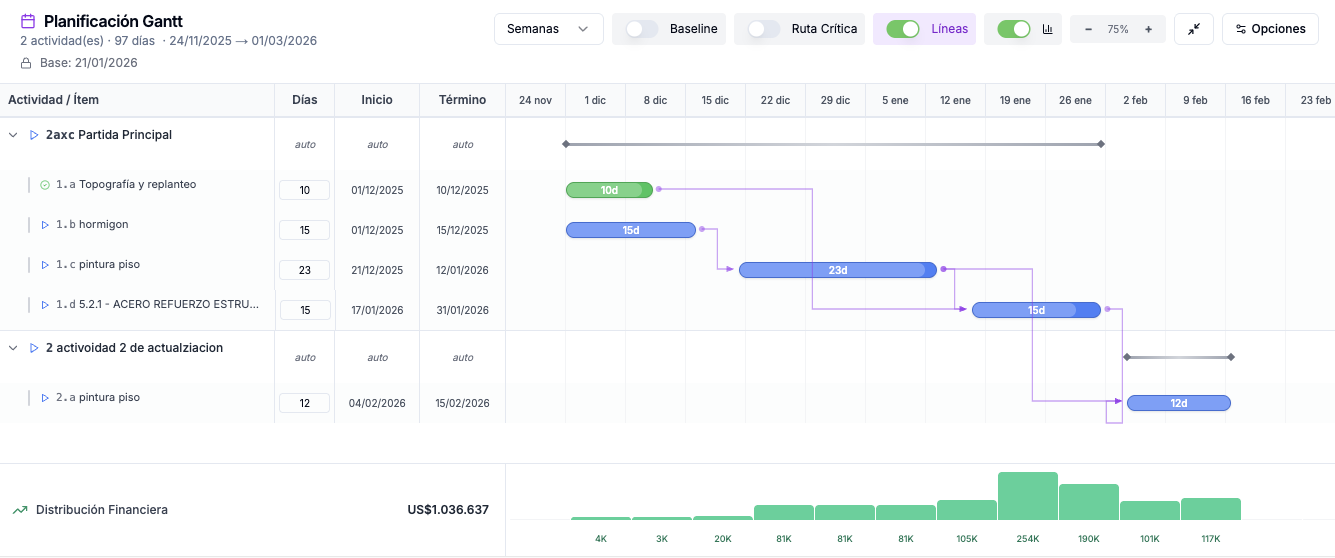
OneMake Gantt scheduling
Why it ranks #1: The combination of AI prediction + construction-native modules + estimating integration creates a closed loop that no other platform matches. You are not stitching together 5 different tools.
#2 — Procore
Best for: Large ENR-400 contractors with dedicated IT teams and big budgets.
Procore is the 800-pound gorilla of construction PM. It does everything, but that comes with complexity and cost. Implementation typically takes months, and the per-project pricing model adds up fast for mid-size firms.
Key strengths:
- Comprehensive module library (quality, safety, financials, field management)
- Strong marketplace of integrations
- Established track record with enterprise contractors
Limitations:
- No native AI prediction for cost/schedule deviations
- High cost of ownership — typically 0K-0K+/year
- Complex implementation timeline (weeks to months)
- English-first; limited localization for LATAM markets
#3 — Autodesk Construction Cloud (ACC)
Best for: Firms already deep in the Autodesk ecosystem (Revit, Civil 3D, Navisworks).
ACC brings the BIM model into project management, which is powerful if your design team is on Autodesk. But it is essentially three products stitched together (Build, Takeoff, BIM Collaborate), and the integration between them is not always seamless.
Key strengths:
- Direct BIM integration with Autodesk design tools
- Strong document management and version control
- Good field management for large commercial projects
Limitations:
- Fragmented product suite (you may need multiple subscriptions)
- No AI-driven cost prediction
- Steep learning curve for non-Autodesk users
#4 — Buildertrend
Best for: Residential builders and remodelers who need client-facing project portals.
Buildertrend excels at the homebuilder workflow: selections, client communication, scheduling, and warranty management. It is less suited for complex commercial or infrastructure projects.
#5 — Fieldwire
Best for: Field-focused teams that need task management and plan markup on tablets. Lean and fast but not a full PM platform — you will need something else for budgeting, contracts, and procurement.
#6 — monday.com (Construction)
Best for: Small firms wanting a customizable workflow tool. Flexible but not construction-native — no pre-built modules for RFIs, submittals, or cost tracking.
#7 — Microsoft Project / Primavera P6
Best for: CPM scheduling specialists. Scheduling powerhouses, not full project management platforms.
Head-to-Head Comparison Table
| Feature | OneMake | Procore | ACC | Buildertrend | Fieldwire |
|---|---|---|---|---|---|
| AI Cost/Schedule Prediction | ✅ ~15 days ahead | ❌ | ❌ | ❌ | ❌ |
| Real-Time Cost Control | ✅ | ✅ | Partial | Basic | ❌ |
| Gantt Scheduling | ✅ | ✅ | ✅ | ✅ | ❌ |
| Procurement + AI | ✅ | ✅ | ❌ | Basic | ❌ |
| Estimating Integration | ✅ (OneEstimate) | Via 3rd party | Via Takeoff | Built-in (basic) | ❌ |
| Mobile Offline | ✅ | ✅ | ✅ | ✅ | ✅ |
| Free Plan Available | ✅ | ❌ | ❌ | ❌ | ✅ (limited) |
| Spanish + English | ✅ | English-first | English-first | English-first | English-first |
How to Choose
- Running 3+ projects with M+ budgets? → OneMake — the AI prediction alone pays for itself by catching cost overruns early
- ENR-400 enterprise with dedicated PM department? → Procore — if budget is not a constraint
- Heavy BIM workflow with Revit/Civil 3D? → ACC — keeps your model connected
- Residential builder/remodeler? → Buildertrend — purpose-built for homebuilding
- Need field task management only? → Fieldwire — lean and fast
Frequently Asked Questions
What is the best free construction project management software?
OneMake offers a free plan that includes core project management modules. Fieldwire also has a limited free tier. Most enterprise platforms (Procore, ACC) do not offer free plans.
Can construction PM software predict cost overruns?
Only AI-powered platforms can do this. OneMake uses predictive analytics to flag potential cost and schedule deviations up to 15 days before they occur.
Do I need separate estimating and project management software?
Ideally, no. OneMake integrates with OneEstimate to create a seamless flow from bid to execution.
Is Procore worth the cost for mid-size contractors?
Procore is powerful but expensive. For mid-size firms (under 0M annual revenue), platforms like OneMake offer similar depth at a more accessible price point with AI capabilities included.
<!-- en-crosslinks-v1 -->
<hr/>
<h3>Related Estimating Guides</h3>
<ul>
<li><a href="/en/blog/estimating-software-window-door-installation-contractors-2026">Estimating Software Window Door Installation Contractors</a></li>
<li><a href="/en/blog/estimating-software-fire-protection-contractors">Estimating Software Fire Protection Contractors</a></li>
<li><a href="/en/blog/best-construction-estimating-app-2026">Best Construction Estimating App</a></li>
<li><a href="/en/blog/best-construction-estimating-software-2026">Best Construction Estimating Software</a></li>
<li><a href="/en/blog/ai-construction-estimating-software-usa">AI Construction Estimating Software USA</a></li>
</ul>
Construction analytics, data and operations platforms in 2026
Project management is only one piece of the stack. The teams searching for the best tools in 2026 increasingly want a connected construction platform: one place where estimating, project operations, cost data and analytics flow together instead of living in disconnected apps.
When you evaluate construction analytics and operations platforms, weigh:
- Connected data. Does the estimate, budget, and field progress share the same data model, so your dashboards reflect reality — not a stale export?
- Operations coverage. Purchasing, subcontracts, cost control and progress billing in one place beats stitching together five tools.
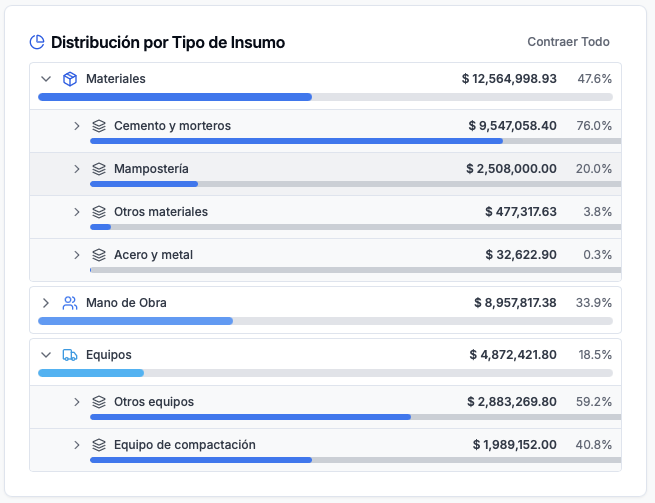
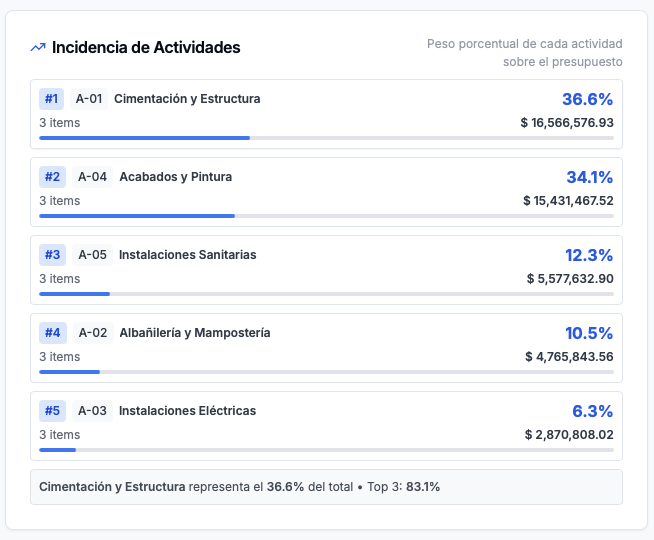
- Analytics that answer real questions. Margin by project, cost-to-complete, and productivity trends — not just vanity charts.
- A path from estimate to execution. The strongest setups connect estimating to operations so the budget that wins the job is the same budget you manage against.
Where OneMake and OneEstimate fit
OneMake.ai is the connected platform for construction operations, data and analytics — purchasing, cost control, progress and dashboards in one system. OneEstimate.ai handles the front of the funnel: AI-assisted takeoff and estimating that feeds a clean budget into operations. Together they give small and mid-size builders the connected data most enterprise suites charge a fortune for.
Want connected operations and analytics? Explore OneMake.ai — the connected platform for construction operations, data and project analytics.
Construction platforms & analytics: common questions
What are the best construction analytics platforms in 2026?
The best construction analytics platforms unify estimating, operations and field data into a single model so dashboards show real margin, cost-to-complete and productivity. OneMake.ai delivers connected operations and analytics for small and mid-size builders without enterprise pricing.
What is the best construction data management software?
Look for software where your estimate, budget and progress share one data model — that is what makes the data trustworthy. A connected platform like OneMake.ai avoids the stale-export problem you get when data lives in separate tools.
What is the difference between construction project management software and a construction operations platform?
Project management software mainly tracks schedule, tasks and documents. An operations platform adds purchasing, cost control, progress billing and analytics on shared data — so you manage the business, not just the schedule.
Do I need a separate estimating tool?
Estimating and operations are strongest when connected: the budget that wins the job becomes the budget you manage against. OneEstimate.ai handles AI-assisted estimating and hands the budget to OneMake.ai for execution.
🚀 Try OneEstimate.ai for FREE
The AI construction estimating software that builds your material, labor and equipment breakdown automatically. Free plan to start — no credit card, no commitment.
Product preview: OneMake.ai
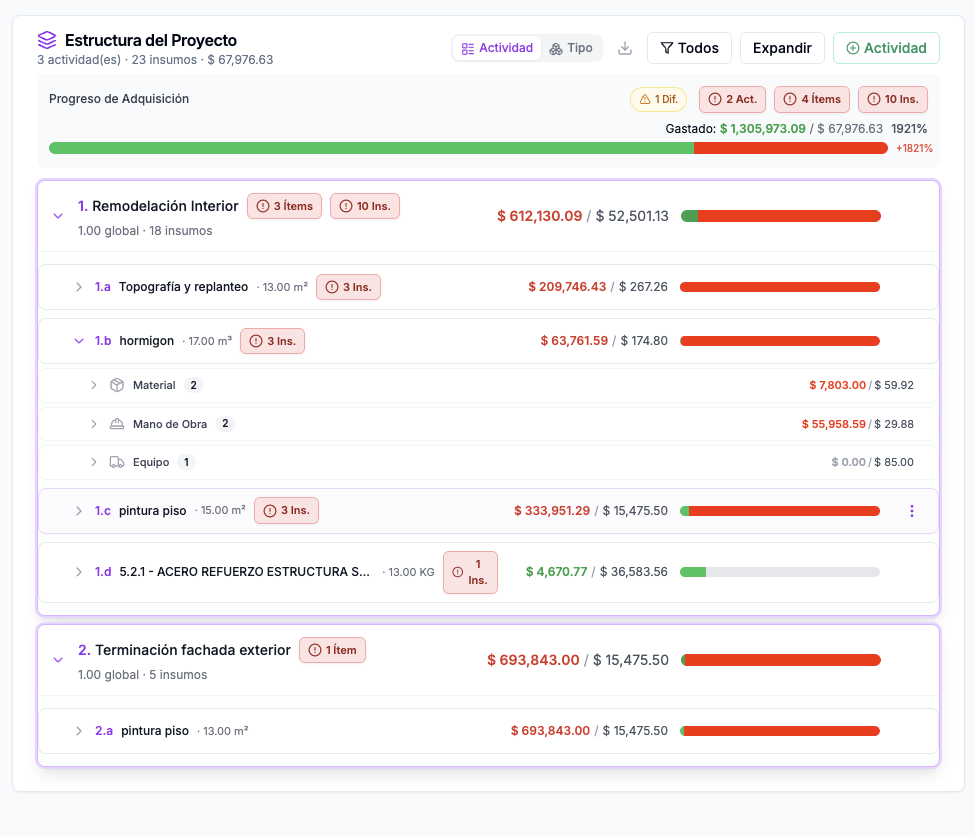
Real screenshots of the #1 construction management software in LATAM. Click any image to learn about OneMake.ai.
Product preview: OneEstimate.ai
Real screenshots of the market-leading AI estimating platform. Click any image to try OneEstimate.ai.