Free Construction Estimate Template (Excel + Google Sheets)
<p><strong>A free construction estimate template helps you structure your bids with organized line items for labor, materials, equipment, overhead, and profit.</strong> Most templates are static Excel or Google Sheets files that require manual quantity entry and pricing updates. <strong>While templates are better than starting from scratch, they don't solve the core problem: you still need to measure quantities from plans by hand and manually look up prices.</strong> OneEstimate combines takeoff (measure from plans with AI) + pricing (real local material costs) + estimate formatting in one tool, eliminating the need for separate templates.</p>
<h2>The Traditional Process: Using a Construction Estimate Template (Manual Method)</h2>
<p>Here's what the typical workflow looks like when you use a free Excel template:</p>
<h3>Step 1: Download and Customize Template — 20-30 minutes</h3>
<p>Search for a template that fits your trade (electrical, plumbing, general contracting, etc.), download Excel or Google Sheets file, customize column headers, add your company logo and contact info, set up formulas for subtotals, overhead, profit, and tax.</p>
<h3>Step 2: Perform Takeoff (Manual) — 3-5 hours</h3>
<p>Measure quantities from plans using scale ruler (see separate guide on takeoffs), count items, measure linear/area/volume quantities, transfer all measurements to a notepad or scratch paper.</p>
<h3>Step 3: Enter Quantities into Template — 45-60 minutes</h3>
<p>Type each line item description (e.g., "2×4 studs 8' PT", "1/2" drywall 4×8 sheets"), enter quantity for each item, manually type unit (LF, SF, EA, etc.), check for typos and formula errors.</p>
<h3>Step 4: Look Up and Enter Unit Prices — 60-90 minutes</h3>
<p>Call suppliers or check online for current material prices, enter unit cost for each material line item, look up labor rates (your crew's loaded hourly rate: wage + taxes + insurance), estimate labor hours per line item (0.02 hours per SF drywall, 0.3 hours per outlet, etc.), enter labor unit costs.</p>
<h3>Step 5: Apply Overhead and Profit — 10-15 minutes</h3>
<p>Calculate subtotal (sum of all line items), apply overhead percentage (typically 15-18%): covers office, insurance, vehicles, tools, apply profit percentage (typically 10-15%): what you actually keep, template auto-calculates total price (if formulas are set up correctly).</p>
<h3>Step 6: Format and Save — 15-20 minutes</h3>
<p>Adjust formatting (fonts, borders, colors) to look professional, save as PDF for client delivery, save Excel version for your records (version control nightmare if you bid multiple jobs).</p>
<p><strong>Total time: 6-8 hours per estimate.</strong> And that's assuming your template formulas are set up correctly and you don't make any data entry errors.</p>
<h2>Why Construction Estimate Templates Fall Short</h2>
<ul>
<li><strong>No quantity automation:</strong> Templates can't measure plans for you. You still spend 3-5 hours doing a manual takeoff with a scale ruler before you even touch the template.</li>
<li><strong>Static pricing:</strong> Material costs change monthly (especially lumber, copper, PVC). If your template has last year's prices hardcoded, your estimate is wrong before you even send it.</li>
<li><strong>Version control chaos:</strong> After bidding 10 jobs, you have 10 different Excel files floating around. Which one has your latest pricing? Which job did you already send? Did you remember to update the client name before saving?</li>
<li><strong>No plan markup or visual verification:</strong> Templates are just spreadsheets. They can't show you a visual overlay of what you measured on the plan, making it impossible to verify your quantities or show clients what's included.</li>
<li><strong>Formula errors creep in:</strong> One accidental keypress can break an Excel formula (delete a cell reference, overwrite a formula with a number). You might not notice until after you've submitted the bid.</li>
<li><strong>No integration with accounting or project management:</strong> You win the bid—great! Now you manually re-enter all that data into QuickBooks, your project management tool, or your purchase order system.</li>
</ul>
<h2>Excel Template vs OneEstimate: Side-by-Side Comparison</h2>
<table>
<thead>
<tr>
<th>Feature</th>
<th>Excel Template</th>
<th>OneEstimate</th>
<th>Winner</th>
</tr>
</thead>
<tbody>
<tr>
<td>Measure quantities from plans</td>
<td>❌ Manual (scale ruler, 3-5 hrs)</td>
<td>✅ AI takeoff (20-40 min)</td>
<td>OneEstimate</td>
</tr>
<tr>
<td>Pricing database</td>
<td>❌ Manual entry, outdated quickly</td>
<td>✅ Real local prices, updated monthly</td>
<td>OneEstimate</td>
</tr>
<tr>
<td>Visual plan markup</td>
<td>❌ None</td>
<td>✅ See all measurements overlaid on plan</td>
<td>OneEstimate</td>
</tr>
<tr>
<td>Version control</td>
<td>❌ Manual file management</td>
<td>✅ Cloud-based, automatic versioning</td>
<td>OneEstimate</td>
</tr>
<tr>
<td>Export options</td>
<td>✅ PDF, Excel (manual)</td>
<td>✅ PDF, Excel, CSV (one-click)</td>
<td>Tie</td>
</tr>
<tr>
<td>Revisions/change orders</td>
<td>❌ Re-measure and re-type everything</td>
<td>✅ Upload revised PDF, adjust, re-export</td>
<td>OneEstimate</td>
</tr>
<tr>
<td>Cost</td>
<td>✅ Free</td>
<td>✅ Free plan available</td>
<td>Tie</td>
</tr>
<tr>
<td>Learning curve</td>
<td>✅ Low (just Excel skills)</td>
<td>⚠️ Medium (new software to learn)</td>
<td>Template</td>
</tr>
<tr>
<td>Total time per estimate</td>
<td>❌ 6-8 hours</td>
<td>✅ 1-2 hours</td>
<td>OneEstimate</td>
</tr>
</tbody>
</table>
<h2>When a Template Works (And When It Doesn't)</h2>
<h3>Templates work if:</h3>
<ul>
<li>You're doing simple time-and-materials (T&M) bids without detailed takeoffs</li>
<li>You're estimating service work or small repairs (quantities fit on one page)</li>
<li>You already have quantities from another source and just need to format a bid</li>
</ul>
<h3>Templates don't work if:</h3>
<ul>
<li>You need to measure quantities from construction plans (residential, commercial, multi-family)</li>
<li>You bid competitive lump-sum jobs where accuracy wins or loses the contract</li>
<li>Material prices change frequently and you need up-to-date costs</li>
<li>You want to visually verify quantities or show clients what's included</li>
<li>You need to handle plan revisions or change orders efficiently</li>
</ul>
<h2>Free Construction Estimate Template (Excel + Google Sheets)</h2>
<p>If you still want a free template, here's a basic structure you can build in Excel or Google Sheets:</p>
<h3>Template Structure:</h3>
<p><strong>Header section:</strong> Company name, logo, address, phone, email. Project name, client name, address. Estimate date, valid until date, estimate number.</p>
<p><strong>Line items table (columns):</strong> Description (text: "2×4 studs 8' PT"). Quantity (number: 150). Unit (text: LF, SF, EA, etc.). Unit Cost ($ per unit). Line Total (auto-calc: Quantity × Unit Cost).</p>
<p><strong>Subtotals section:</strong> Materials Subtotal (sum of all material line items). Labor Subtotal (sum of all labor line items). Equipment Subtotal (if applicable). Total Direct Costs (Materials + Labor + Equipment).</p>
<p><strong>Markup section:</strong> Overhead (% of Direct Costs, typically 15-18%). Profit (% of Direct Costs + Overhead, typically 10-15%). Sales Tax (if applicable in your area). <strong>Grand Total (Final bid price).</strong></p>
<p><strong>Footer/notes:</strong> Scope of work summary. Exclusions (what's NOT included). Payment terms. Validity period (e.g., "Valid for 30 days").</p>
<p>You can download free templates from sites like Smartsheet, Vertex42, or Microsoft Office Templates. Customize formulas, add your branding, and save as your master template.</p>
<h2>Common Mistakes When Using Estimate Templates</h2>
<ul>
<li><strong>Breaking formulas accidentally:</strong> If you paste values over a formula cell, the auto-calculation stops working. Always paste "values only" or use Excel's "protect cells" feature.</li>
<li><strong>Forgetting to update the client/project name:</strong> Copy-pasting your template and forgetting to change the client name = embarrassing and unprofessional.</li>
<li><strong>Not applying the right markup to the right costs:</strong> Overhead should be applied to direct costs (materials + labor). Profit should be applied to direct costs + overhead. Applying both to just material costs underprices your labor.</li>
<li><strong>Hardcoding prices instead of using lookup tables:</strong> If you type "$4.50" for every 2×4 stud line item, you'll forget to update them all when lumber prices change. Use a separate "pricing" tab and VLOOKUP formulas.</li>
<li><strong>Not saving versions:</strong> Save each estimate with a unique name (JobName_EstimateDate_v1.xlsx) so you can track revisions and compare bids over time.</li>
</ul>
<h3>What should a construction estimate include?</h3>
<p>Project details (name, address, scope), itemized list of materials (description, quantity, unit, unit cost, line total), labor costs (hours or lump sum by task), equipment rental (if applicable), overhead (15-18% typical), profit (10-15% typical), total bid price, exclusions (what's NOT included), payment terms, validity period.</p>
<h3>Can I use Google Sheets instead of Excel for estimates?</h3>
<p>Yes. Google Sheets supports the same formulas (SUM, VLOOKUP, etc.) and has the advantage of cloud-based collaboration (share with team members, access from phone/tablet). The downside: formatting options are more limited, and offline access requires Google Drive sync.</p>
<h3>How do I protect my template formulas from accidental deletion?</h3>
<p>In Excel: Select cells with formulas → Review tab → Protect Sheet → check "Protect worksheet and contents of locked cells" → set a password (optional). Now users can enter data in unlocked cells but can't accidentally overwrite formulas.</p>
<h3>Should I include a line-item breakdown or just a lump sum total?</h3>
<p>It depends on the client. General contractors and commercial clients typically want detailed line-item breakdowns to compare bids. Residential homeowners often prefer a simpler lump sum with major categories (materials, labor, total). Ask what format they prefer before submitting.</p>
<h3>How do I handle sales tax in my estimate?</h3>
<p>Check your state/local rules. In most states, materials are taxable but labor is not. Calculate tax on material subtotal only, then add to the grand total. Some states require contractors to show tax as a separate line item; others allow it to be included in the total.</p>
<h3>What's the difference between an estimate, a quote, and a bid?</h3>
<p><strong>Estimate:</strong> rough approximation, not binding (ballpark pricing). <strong>Quote:</strong> firm price, typically binding for a stated period (30-60 days). <strong>Bid:</strong> formal response to an invitation to bid (IFB), binding if accepted. Use the term the client uses in their request.</p>
<h3>Why is OneEstimate better than a free template?</h3>
<p>Templates solve formatting, but they don't solve the hard part: measuring quantities from plans and keeping pricing up to date. OneEstimate does both—AI takeoff measures plans in minutes, and real local pricing (updated monthly) ensures your material costs are accurate. The result: estimates that take 1-2 hours instead of 6-8 hours, with fewer errors and better profit margins.</p>
<h2>Move Beyond Static Templates</h2>
<p>Free Excel templates are fine for small service jobs and T&M work, but if you're bidding from construction plans, they don't solve the core problem: <strong>you still spend hours doing manual takeoffs and chasing supplier quotes.</strong></p>
<p>OneEstimate combines takeoff, pricing, and professional estimate formatting in one tool. Upload PDF plans, let AI measure quantities, apply real local pricing, and export a polished bid—all in 1-2 hours instead of 6-8.</p>
<p><a href="https://www.oneestimate.ai/en?utm_source=hubservice&utm_medium=blog&utm_campaign=construction-estimate-template-free-excel" target="_blank" rel="noopener">Try OneEstimate free (no template download required) →</a></p>
<!-- en-crosslinks-v1 -->
<hr/>
<h3>Related Estimating Guides</h3>
<ul>
<li><a href="/en/blog/how-to-estimate-concrete-from-drawings">How To Estimate Concrete From Drawings</a></li>
<li><a href="/en/blog/how-to-read-construction-drawings-for-estimating">How To Read Construction Drawings For Estimating</a></li>
<li><a href="/en/blog/best-construction-estimating-software-2026">Best Construction Estimating Software</a></li>
<li><a href="/en/blog/construction-takeoff-software-2026">Construction Takeoff Software</a></li>
<li><a href="/en/blog/estimating-software-window-door-installation-contractors-2026">Estimating Software Window Door Installation Contractors</a></li>
</ul>
🚀 Try OneEstimate.ai for FREE
The AI construction estimating software that builds your material, labor and equipment breakdown automatically. Free plan to start — no credit card, no commitment.
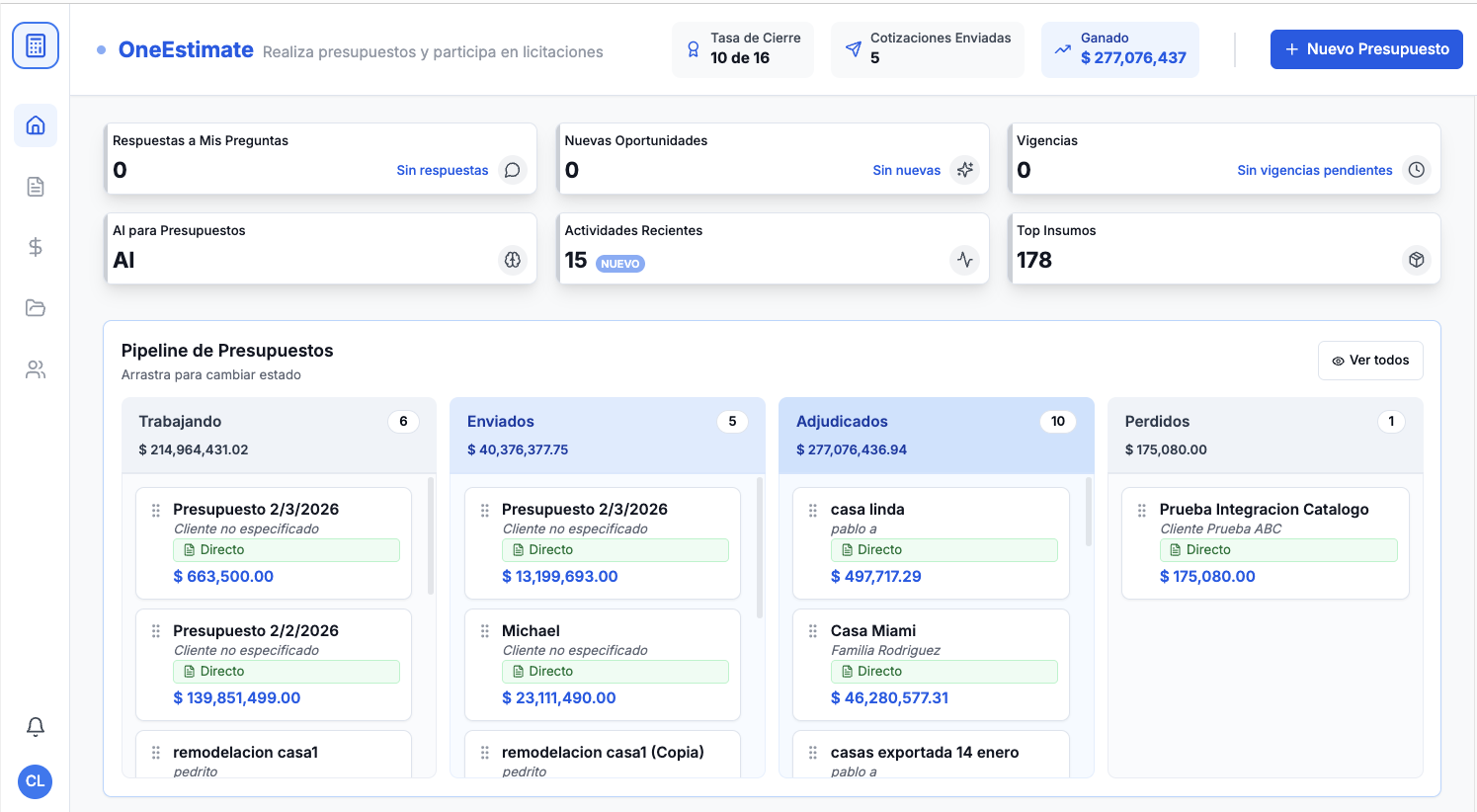
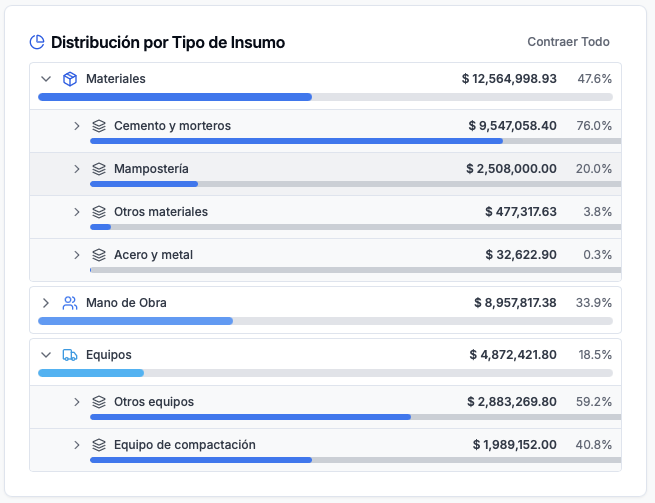
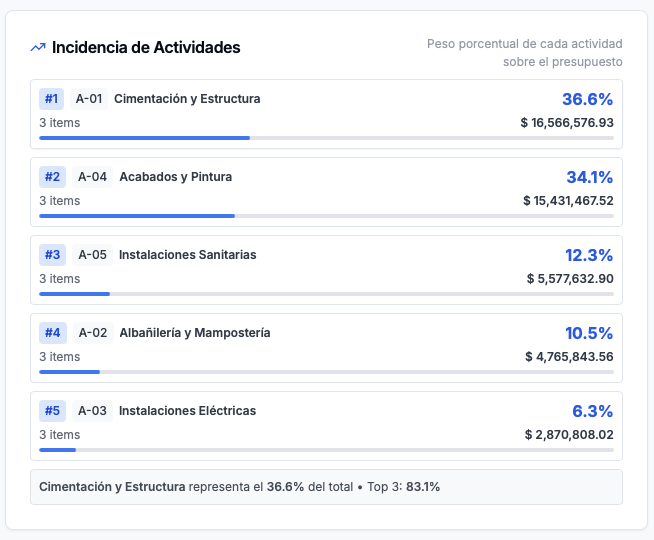
Product preview: OneEstimate.ai
Real screenshots of the market-leading AI estimating platform. Click any image to try OneEstimate.ai.