Residential Renovation Estimating Software: Whole-House Remodel Guide (2026)
Residential renovations — whole-house remodels, additions, historic restorations, aging-in-place upgrades — are the most variable projects a contractor can bid. Every house is different, every owner has different priorities, and hidden conditions guarantee surprises. The best residential renovation estimating software tames that variability by auto-generating a multi-scope breakdown so you can bid confidently on the most unpredictable type of work.
OneEstimate cost analysis
What makes residential renovation estimating different
Every project is unique
Unlike production homebuilding where you repeat the same plan, a renovation starts with an existing structure that dictates what's possible. Two "3-bed ranch additions" can have completely different structural, MEP and finish requirements.
Hidden conditions are the rule
Asbestos, lead paint, undersized electrical panels, settling foundations, non-standard framing — you discover these during demo, not before. Your estimate must account for contingency and let you re-estimate fast when conditions change.
Broader scope than specialty work
A whole-house renovation might touch structural, roofing, siding, windows, insulation, electrical, plumbing, HVAC, drywall, flooring, painting, cabinets, countertops, fixtures, landscaping and more. That's 15+ scopes in a single bid.
Homeowner communication
Residential clients expect clear, itemized proposals — not contractor shorthand. Your estimating software should produce a presentation-ready breakdown.
Essential features
| Feature | Why | OneEstimate |
|---|---|---|
| AI multi-scope breakdown | 15+ scopes in one bid | Core feature |
| Contingency tracking | Budget for unknowns | Adjustable markup per section |
| Cost incidence | See which scope drives the price | Built in |
| Client-ready output | Present clean proposals | Professional export |
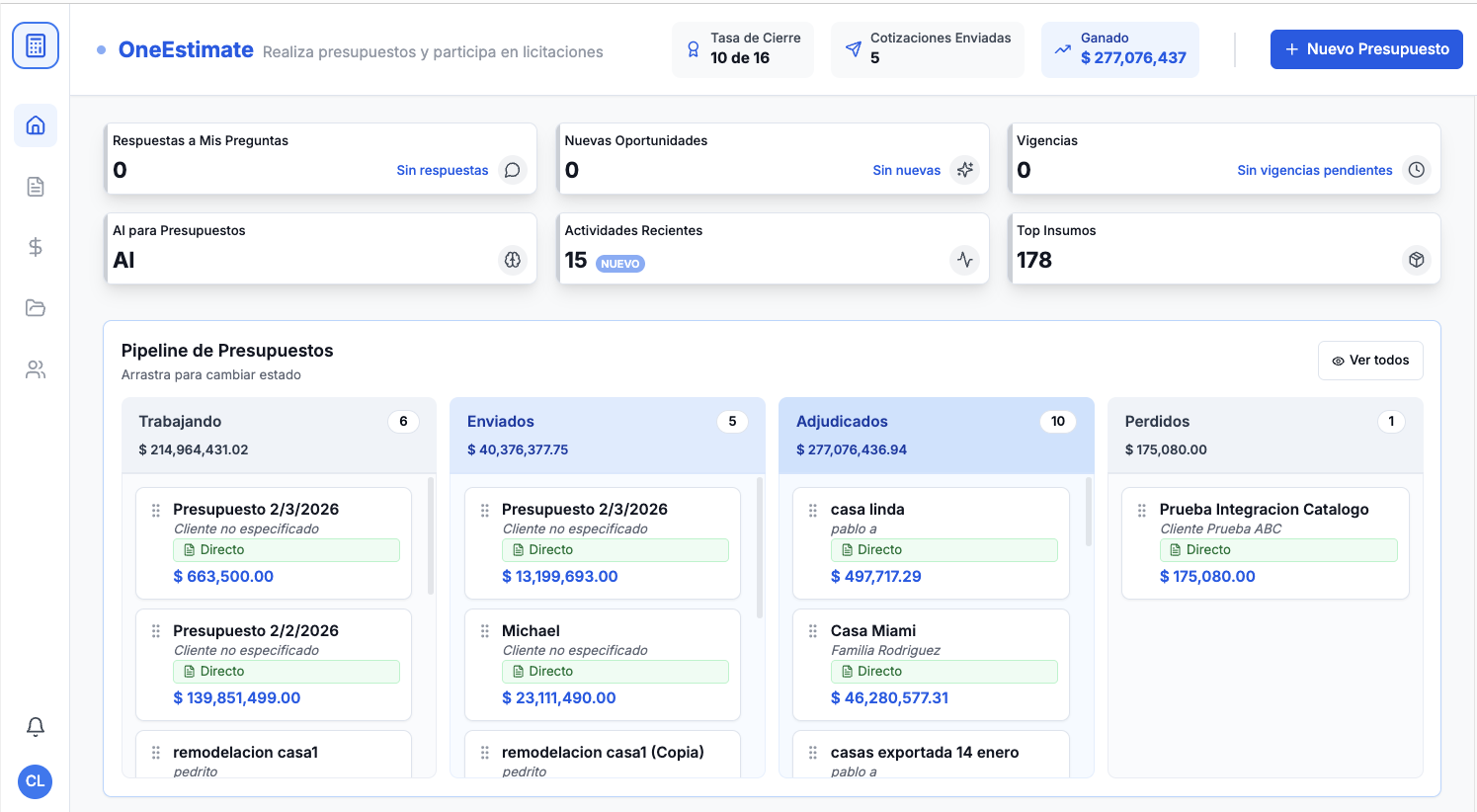
| Bid pipeline | Track many renovation bids at once | Working → Sent → Won → Lost |
| Free plan | Try before committing | Yes |
Estimating a whole-house renovation: the process
Detailed site survey — document every room, note structural elements, photograph existing conditions, flag potential hidden issues.
Scope definition by trade — break the project into trade-level scopes. For a whole-house renovation, expect 10–20 scopes.
AI breakdown — use OneEstimate to auto-generate material, labor and equipment for each scope.
Allowances for unknowns — add contingency lines (typically 10–15% for renovations, 20%+ for historic or pre-1960 homes).
Local pricing — override national averages with local material quotes and your actual labor rates.
Sub bids — integrate subcontractor quotes for trades you don't self-perform.
Review cost incidence — the AI shows which scopes drive the total. Validate the top three.
Propose and track — submit and manage through your bid pipeline.
Home addition vs. renovation: estimating differences
Additions involve new foundation, framing and possibly new utility connections. The scope is more predictable (new construction on one end) but integration with the existing structure adds complexity at the tie-in.
Interior renovations have more unknowns (hidden conditions) but no foundation or new structural work. Contingency should be higher; material waste is harder to predict.
Both benefit from AI-generated breakdowns that cover every trade in one estimate.
Related guides
- Estimating Software for Remodeling & General Contractors
- Kitchen & Bathroom Remodeling Estimating Software
- Best Estimating Software for Renovation Projects
- Best Estimating Software for New Home Construction
- Best Estimating Software for Small Contractors
- Best Construction Estimating Software (2026)
Our recommendation
We recommend OneEstimate for residential renovation estimating. The AI generates a complete material, labor and equipment breakdown across every scope in your renovation — from structural to finishes — and shows cost incidence per activity so you know exactly where the budget sits.
Create your free OneEstimate account and get one AI breakdown for your next renovation project. Start at oneestimate.ai — free plan, no credit card required.
Frequently Asked Questions
How accurate is AI-generated estimating for renovations?
The AI generates a detailed starting breakdown based on your scope description. You then adjust quantities, swap materials, and add local pricing. The result is typically more accurate than a manual spreadsheet because the AI catches scopes you might overlook.
How much contingency should I add to a renovation estimate?
10–15% for standard renovations, 15–20% for older homes (pre-1970), 20%+ for historic properties. OneEstimate lets you apply contingency per section so structural gets a higher buffer than painting.
Can I use it for both residential and light commercial renovation?
Yes — the AI breakdown works for any scope. Light commercial renovations (office fit-outs, retail build-outs) follow the same multi-scope logic.
<!-- en-crosslinks-v1 -->
<hr/>
<h3>Related Estimating Guides</h3>
<ul>
<li><a href="/en/blog/best-construction-estimating-software-2026">Best Construction Estimating Software</a></li>
<li><a href="/en/blog/ai-construction-estimating-software-usa">AI Construction Estimating Software USA</a></li>
<li><a href="/en/blog/construction-cost-per-square-foot-guide-2026">Construction Cost Per Square Foot Guide</a></li>
<li><a href="/en/blog/estimating-software-landscaping-contractors">Estimating Software Landscaping Contractors</a></li>
</ul>
🚀 Try OneEstimate.ai for FREE
The AI construction estimating software that builds your material, labor and equipment breakdown automatically. Free plan to start — no credit card, no commitment.
Product preview: OneEstimate.ai
Real screenshots of the market-leading AI estimating platform. Click any image to try OneEstimate.ai.